Set up Capri
1Install Windows only
- Download
- Open
Capri-Setup.exe - “Windows protected your PC”? More info → Run anyway
- Install
Windows warns because Capri is new and not signed yet. The code is open on GitHub.
2Her brain free, runs on your PC
- The Capri Mainframe opens by itself
- Set up her brain
- Wait for the download. She says hi when it's done
Already use Ollama? Open it, then press Refresh.
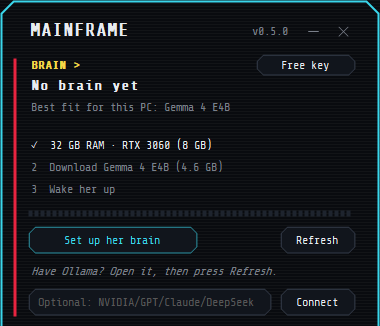
Slow PC, or the download fails?
Use a free NVIDIA key instead. Nothing to download, and her replies are fast.
- Mainframe → Free key, or open build.nvidia.com
- Sign in or make a free account. NVIDIA may ask to verify your phone
- Generate API Key, then copy it. It starts with nvapi-
- Paste it in the box under her brain → Connect
An OpenAI, Claude or DeepSeek key goes in the same box.
3Her voice optional, ElevenLabs
Skip this and she types her replies instead. Voice chat needs it.
Account
- Sign up at elevenlabs.io
Design her voice
- ElevenCreative → Voice Creation → Voice Design → Create new
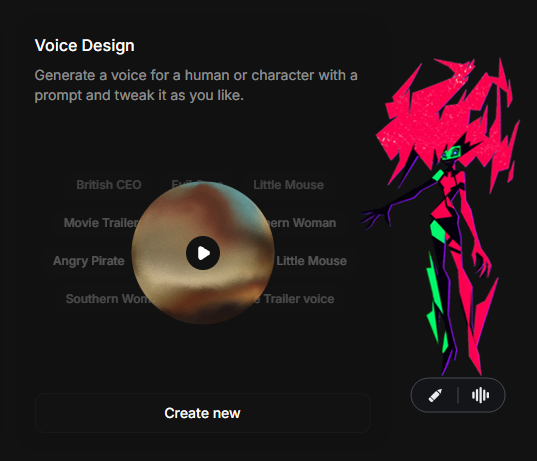
- Paste this prompt, then create the voice
Her voice is light, bright, and buoyant, with a playful lilt that rises at phrase endings, as if sharing a secret joke. Quick, bouncy pacing shifts between mock-innocent sweetness and a sly, knowing edge. She sounds close and airy, whispering directly inside the listener’s mind. Her voice has a vivid holographic quality: crystalline synthetic resonance layered beneath her femininity, as though projected through shimmering digital light. A faint electronic halo surrounds each syllable, with metallic overtones, spectral echoes, and flickers of static rippling through her voice like glitches in a translucent projection. When her mischief sharpens, her voice briefly fractures into digital artifacts, subtle pitch warps, and sparkling distortions. Beneath the playful act, her tone occasionally softens into something fragile and haunting, hinting at the Project Capricorn past she cannot escape. She feels enchanting, mischievous, and unmistakably nonhuman.
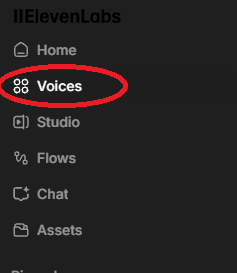
- Voices → My Voices → ⋯ → Copy Voice ID
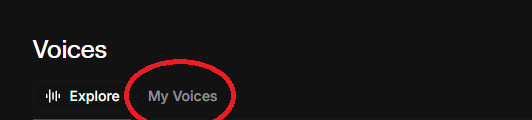
Or clone her real voice paid plan
Sounds the most like her. Needs ElevenLabs Starter or above.
- Download her voice clip (3 MB)
- Voice Creation → Instant Voice Clone → Create new
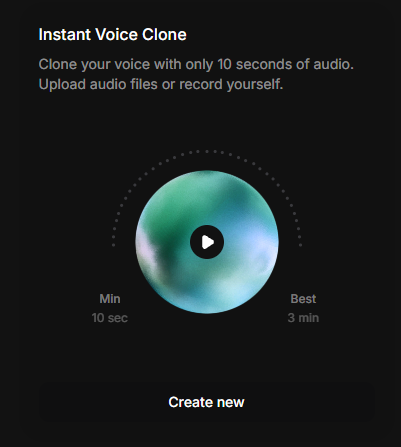
- Upload the clip, then create the voice
- Voices → My Voices → ⋯ → Copy Voice ID
API key
- Bottom left: Developers
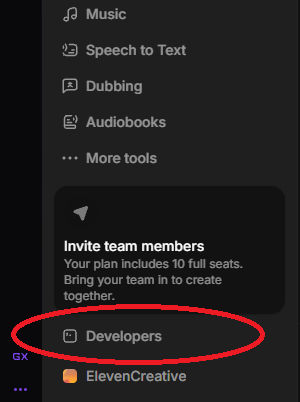
- API Keys → Create Key, name it Capri
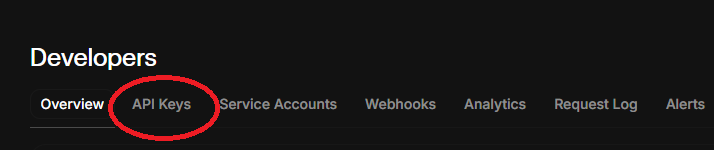
- Turn Restrict key off
- Create Key, then copy it before you close the popup
In the Mainframe
- Paste the key → Connect
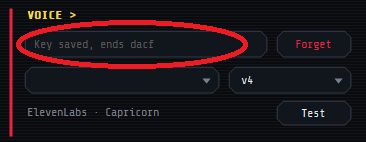
- Clear the Voice ID box, then paste your Voice ID
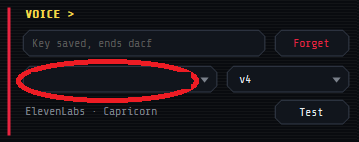
- Model menu → v4
- Test
4Talk to her
- Pencil
- type to her
- "Open Spotify"
- she opens apps, games and sites, and skips songs
- "Play Blinding Lights"
- she plays it on Spotify, or YouTube without it
- "Close Discord"
- she switches to, minimizes or closes open apps and tabs
- Watch my screen
- in the Mainframe: she comments as you play
- Speak replies
- in the Mainframe: off saves ElevenLabs credits
- Wave
- voice chat, needs the key
- Mic button
- mute your mic while chatting
- Ctrl + Alt + V
- start or stop voice chat
- Ctrl + Alt + N
- mute your mic while chatting
- Drag
- sit her on a window
- Shift + drop
- sit her right there
- Ctrl + drop
- she hangs on right there, click her to let go
- Wander around
- right-click her, Move: she hops between your open windows
- Ctrl + Alt + C
- get her off your cursor
- Tray icon
- menu, Mainframe, quit
Stuck?
- “ElevenLabs rejected the key”
- That isn't the key. Keys start with
sk_. Make a new one and paste it. - “Key is missing permissions”
- Make a new key with Restrict key turned off.
- “Voice not found”
- Paste the Voice ID of the voice you designed, from My Voices, not its name.
- “Out of ElevenLabs credits”
- Credits refill each month. She uses about one per letter she says.
- “Free tier usage disabled”
- Turn off your VPN and try again.
- She can't hear you
- Pick your mic in the Mainframe. Still nothing? Windows Settings → Privacy & security → Microphone → let desktop apps use it.
- Antivirus flags it
- A false alarm on a new, unsigned app. Check the code on GitHub.
- Still stuck?
- Ask in the Discord.
Guide by @Dancer, screenshots by @BaldDcModWithSmalD, both from the Discord. Thank you!